01 / CHOOSE A PORTRAIT02 / FIND YOUR ERA03 / MAKE IT YOURS
THE PORTRAIT DARKROOM
A fresh take on an old favorite.
One photograph. Eighteen creative directions. No complicated prompt writing required.
YOUR NEXT FRAMERP / 001
+
A new memory, waiting to happen.
Your generated portrait will appear here.
THE PROMPT COLLECTION
Start with the right words.
Copy a 1980s AI photo prompt. Adapt it to your own creative direction.
FRAME 01 / STUDIO
Soft light. Lasting impression.
Transform the reference photo into a 1980s studio portrait. Preserve the subject’s facial features, expression and skin tone. Use soft diffused studio light, a muted blue-grey mottled backdrop, gentle film grain and natural portrait proportions. Keep it photographic, without text or logos.
FRAME 02 / YEARBOOK
Picture day, reimagined.
Create a 1980s-inspired school yearbook portrait using the reference photo. Preserve the person’s identity and age. Use a head-and-shoulders composition, a simple softly lit backdrop, subtle warm film tones and period-inspired clothing. Avoid text, exaggerated facial changes and heavy skin smoothing.
FRAME 03 / STREET
Out of the studio. Into the moment.
Reimagine this portrait as a candid 1980s street photograph. Preserve facial features and skin tone. Add understated period-inspired clothing, warm late-afternoon light and subtle 35mm film grain. Keep the background believable and uncluttered. No text or logos.
A FEW THINGS TO KNOW
Before your first frame.
What is a 1980s photo prompt?
It is a set of instructions describing retro lighting, clothing, composition and film texture for an AI image tool. A reference photograph helps guide the subject’s appearance, but cannot guarantee an identical likeness.
How does the daily limit work?
Each browser can generate three successful images per UTC day. Confirmed failures release the allowance. If a request times out with an unknown outcome, its slot stays reserved until the next UTC day.
Is the example an actual output?
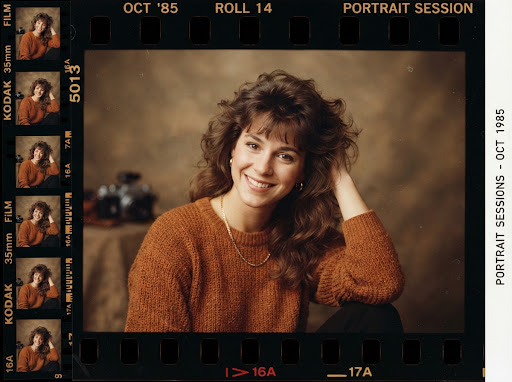
No. The hero image is AI-created style inspiration, not a verified output from this generator. Generated results vary with your photo and chosen style. Review your portrait before sharing it.