OSM Template AI: Prompts and How to Recreate the Trend
A retro portrait from your photo. Create a still image here, or copy the prompt for your own image tool.
Still photos only — no video or CapCut template export.
No account needed · Up to 3 successful images per browser per UTC day.
Read or select the prompt
An independent 1980s-inspired style; results may differ from a template you saw elsewhere.
What are you looking for?
Optional — which format brought you here?
This site creates still images. Video templates are not available here.
SEE THE KIND OF IMAGE YOU CAN MAKE
One photo. A retro-inspired portrait.
- Choose your photo. Use one clear, well-lit portrait you have permission to edit.
- Create the still image. Open the studio, select a style and review the photo-processing consent before generating.
- Check and download. Review the face and details, then save the image. AI results can vary.
Prefer another image tool? Use “Copy the prompt” above, then attach your portrait there.
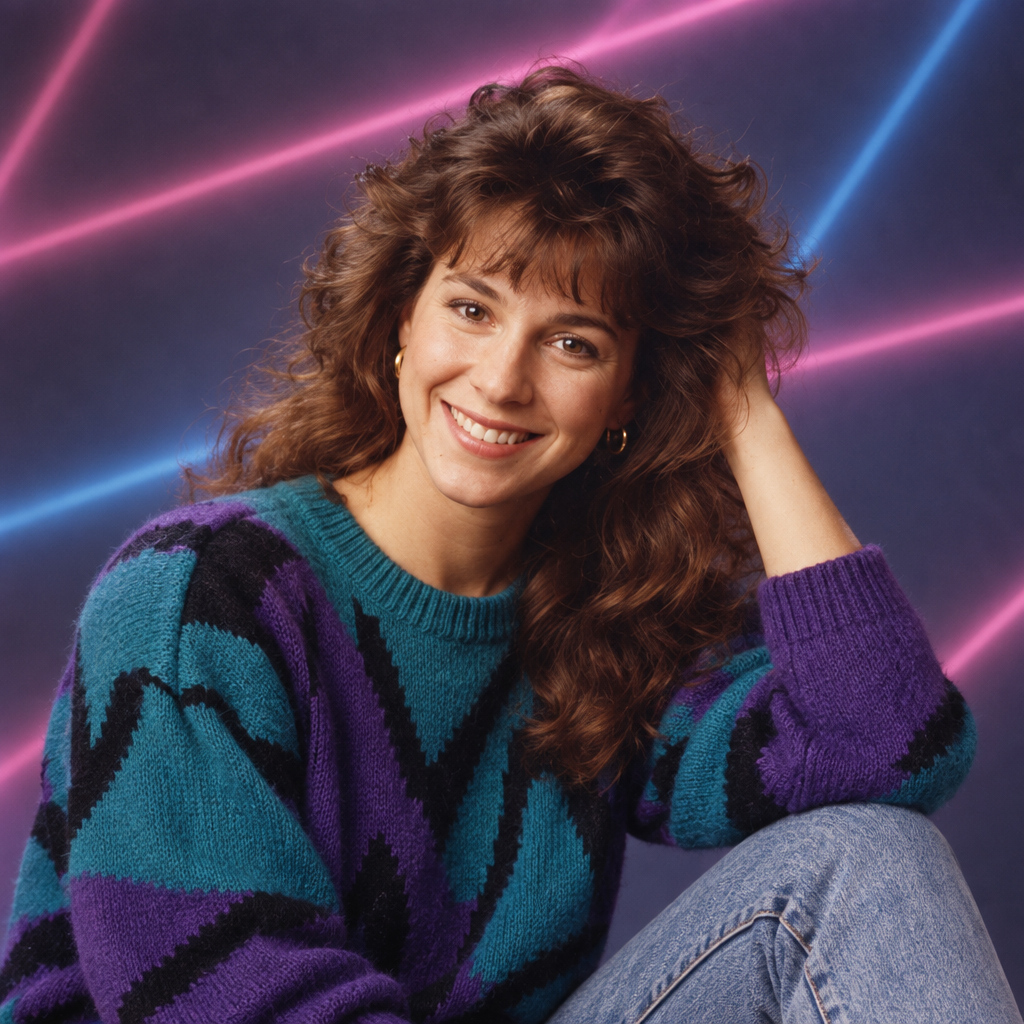
OSM template AI is one of the names people use when they search for the prompts and tools behind a viral social-media edit template. The edits swap a normal photo for a heavily styled retro portrait, usually with 1980s or early-90s styling, and the trend spreads through Reels, Shorts and TikTok as a copyable template.
What people mean by "OSM template"
Template trends like this are shared as a named effect: one person posts the result, others ask for the prompt or the template, and a wave of searches follows. Because the name is short and shared rather than descriptive, search results mix together social posts, template galleries and AI prompt pages. People may be looking for a photo prompt, a particular video template, or an example of the effect. RetroPrompt currently helps with still portraits; it does not recreate or export video templates.
What the AI prompts behind the trend do
The underlying prompt is usually a retro portrait recipe: direct flash, faded colour, film grain, period wardrobe, a studio or street background, and a date stamp. Some versions push further into 90s camcorder or mall-photobooth styling. The template name changes; the visual recipe barely does.
How to recreate an OSM-style edit
Option 1: use a prompt with your own image model
Copy a retro portrait prompt, attach your photo, and generate. The 1980s AI photo prompt page has six ready-to-use examples that reproduce this look.
Option 2: use a generator that hides the prompt
Upload a portrait, choose a style such as studio, street film or neon arcade, and let the generator do the work. That is what RetroPrompt's 80s portrait generator does.
A copy-ready prompt for this look
Portrait of the person in the reference photo, mid 1980s studio styling, satin jacket, soft direct flash, mottled blue backdrop, faded colour, 35mm film grain, subtle red-orange date stamp, head-and-shoulders framing, photorealistic.
Is "OSM template AI" the same as the 1980s AI photo trend?
They overlap heavily. Both describe turning an ordinary photo into a heavily styled retro portrait, and the prompts are largely interchangeable. If one template name stops trending, the same visual recipe keeps working under a new name.
Frequently asked questions
What is OSM template AI?
It is a search term for the AI prompts and tools used to recreate a viral retro portrait edit template shared on social platforms.
Do I need a special app for it?
No. You can use any image model that accepts a reference photo and a prompt, or a dedicated retro portrait generator.
Is it the same as the 1980s AI photo trend?
Largely yes. The visual recipe is a retro studio or street portrait with flash, faded colour and film grain.
Why do these template keywords disappear?
Social template trends peak and fade. The style itself remains usable under new names, so evergreen guides outlast individual trend keywords.